International Warranty

Your Aston Martin Aramco Formula One™ Team watch was designed in compliance with the highest standards of manufacture. It is warrantied against manufacturing defects by Timex Group for a period of ONE YEAR from the original purchase date, except as otherwise provided by law in the original purchase country. Timex Group and its worldwide affiliates and partners will honor this International Warranty.

To obtain warranty service, please contact your local authorized Timex Group service center: [email protected]. Proof of purchase will be required for all warranty claims, clearly showing the date, item purchased, and the retailer from which the purchase was made. Warranty service is only honored on watches purchased directly from Aston Martin Aramco Formula One™ Team authorized retailers. Second hand or private sales will not be honored.

For in warranty services, Timex Group may at their option replace the watch with an identical model or a model with similar features.

Important — Please Note That This Warranty Does Not Cover Defects or Damages to Your Watch:

This warranty and the remedies contained herein are exclusive and in lieu of all other warranties, express or implied, including any implied warranty of merchantability or fitness for particular purpose. Timex Group is not liable for any special, incidental or consequential damages.

Some countries and states do not allow limitations on implied warranties and do not allow exclusions or limitations on damages, so these limitations may not apply to you. This warranty gives you specific legal rights and you may also have other rights which vary from country to country and state to state.

txgservice.com/astonmartinF1team

Care & Features

Care of Your Watch

Aston Martin Aramco Formula One™ Team watches have been developed with the highest attention to quality, function and detail. Please read the following instructions carefully to fully understand all of the functions of your finely crafted timepiece.

General Recommendation

  • Avoid placing your watch near devices generating strong magnetic field.
  • Avoid any impact that might damage your watch or effect its timekeeping.
  • Avoid exposing your watch to extreme changes in temperature.
  • Avoid direct contact with solvents, detergents, perfumes, chemicals, as they may damage your watch's components.

External Cleaning

  • Use soapy water and a soft brush to clean your watch.
  • Use a soft tissue dipped in soapy water to clean the case and crystal.
  • Rinse with clean water to eliminate washing residue. Never use cleaning agents. Wipe down with a soft cloth.
  • Always rinse your watch in lukewarm water after use in a saline or chlorinated environment (salt water, swimming pool).
  • Do not dry the strap on a hot surface or directly in the sun as the rapid evaporation of water could damage its shape and quality.
Watches Features

Plating

Green and Black Color Plating

  • High resistance to corrosion.
  • Hard, durable metal, does not tarnish.

Carbon Fiber

  • Crafted from genuine carbon fibre.
  • Please avoid bending the bracelet to preserve its structure, finish, and performance.

Battery

The watch button cell or coin battery is not intended to be replaced by a consumer. Only a jeweler or other professional is to replace the battery. The Perfect Date function must be recalibrated to the current date for your location before the watch is returned to you.

Water-Resistance

If your watch is water-resistant, it will be indicated on the caseback.

  • 100 Meter Water-Resistant watch withstands water pressure to 160 p.s.i.a. (equals immersion to 328 feet or 100 meters below sea level) and dust as long as crystal, crown and case remain intact.

Setting Your Watch

Set Your Watch: Basic Models

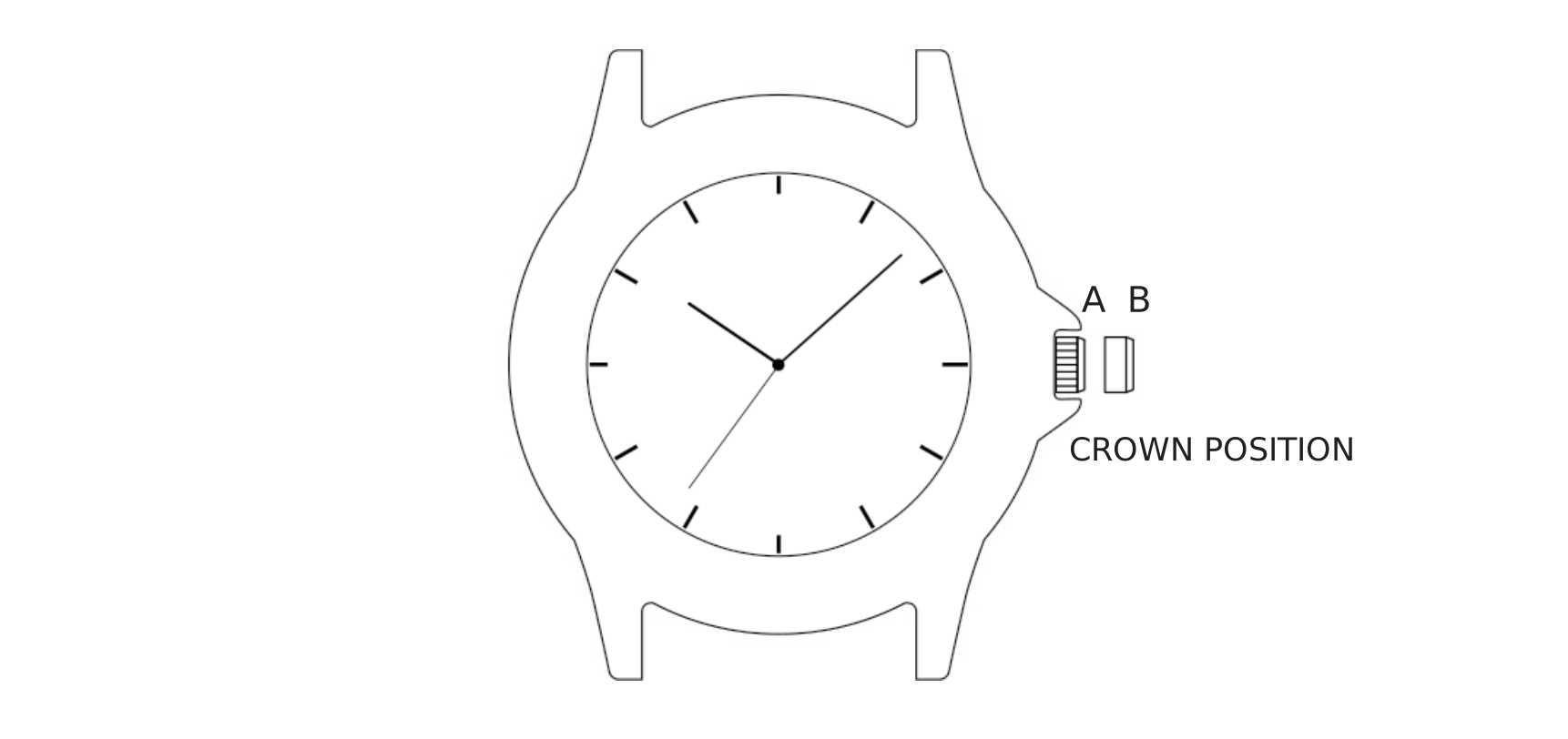
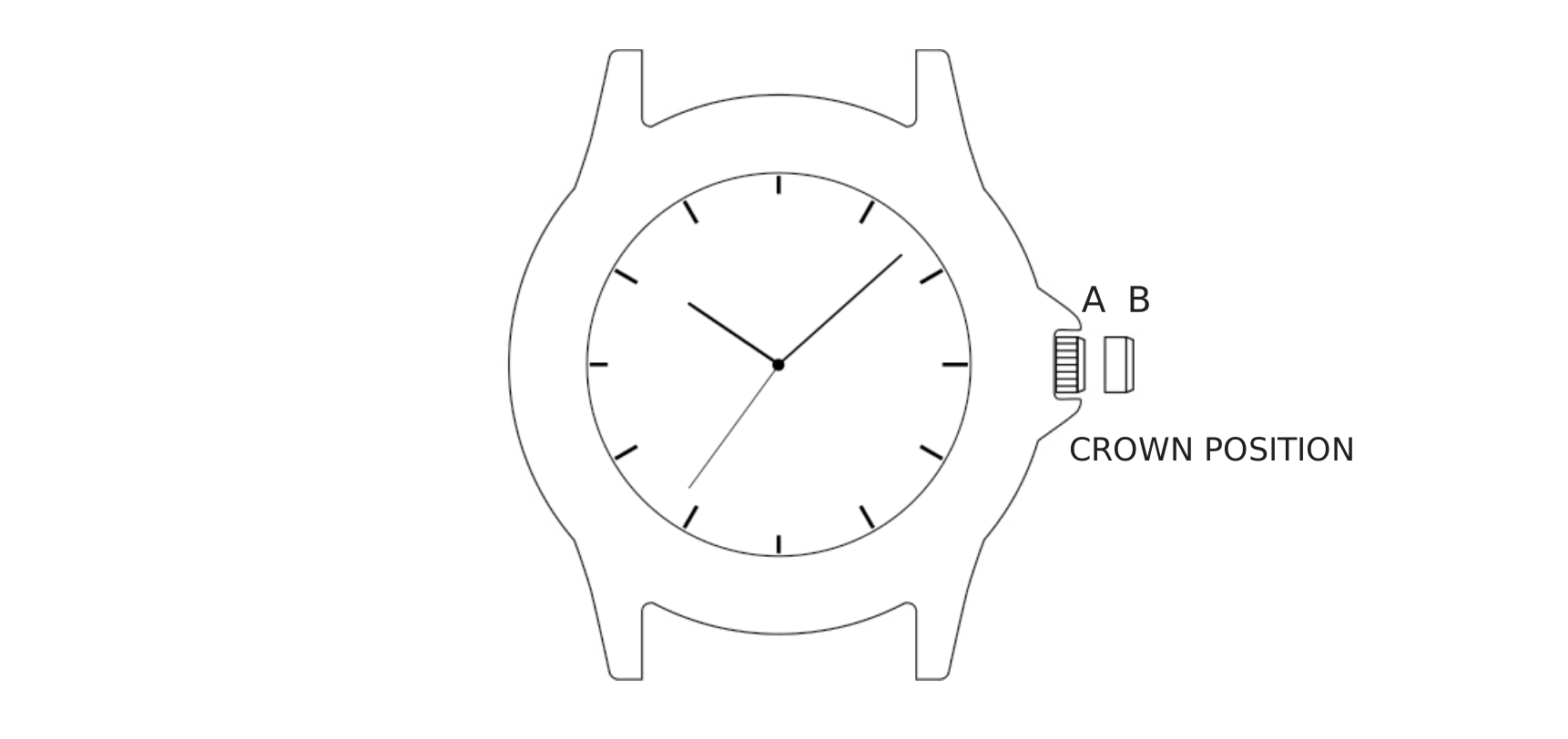
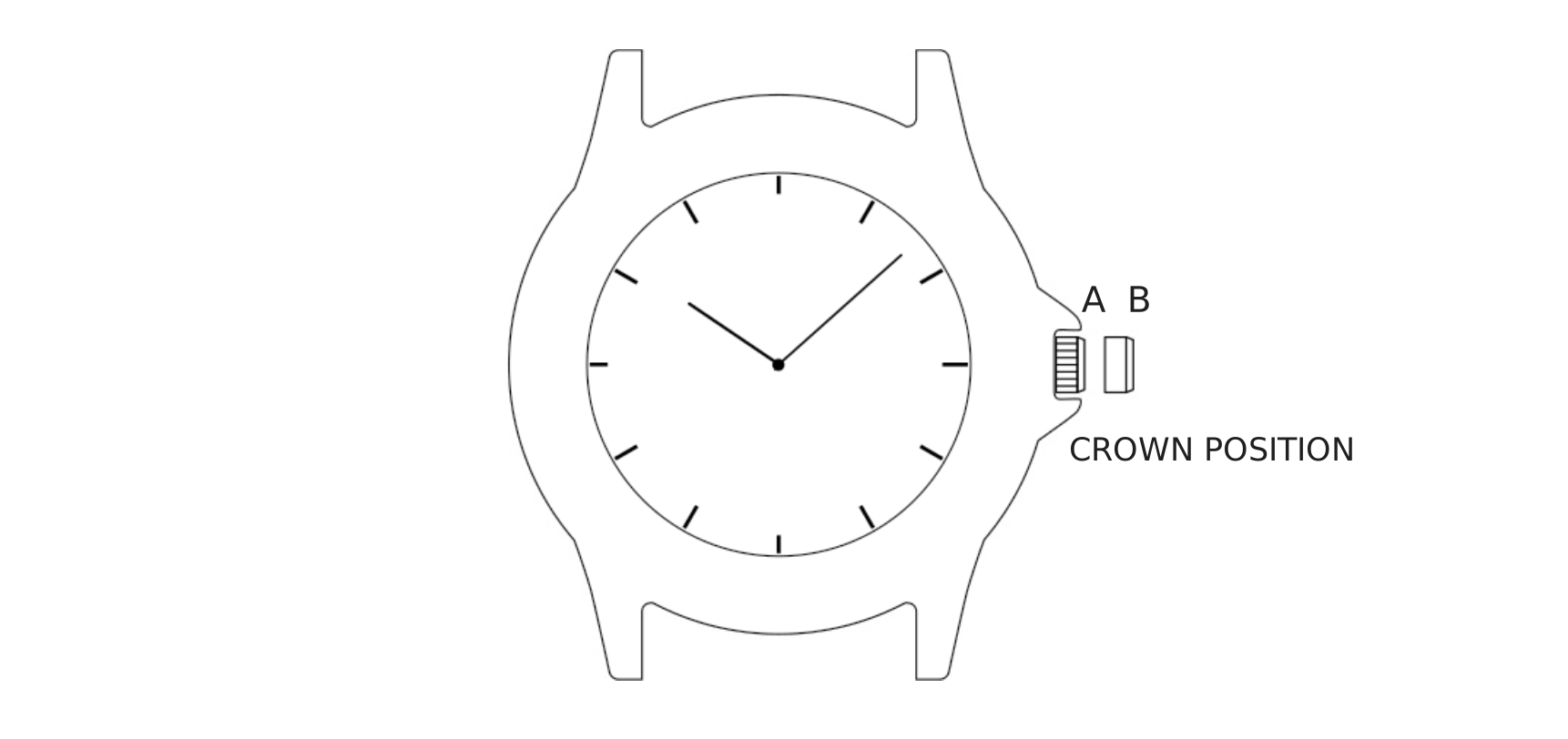
Watch case with crown pulled to position B, positions A and B labeled

Time

To set the time:

  1. Pull crown to “B” position.
  2. Turn crown clockwise / counter clockwise to correct time.
  3. Push crown to “A” position.

Set Your Watch: Multifunction Models

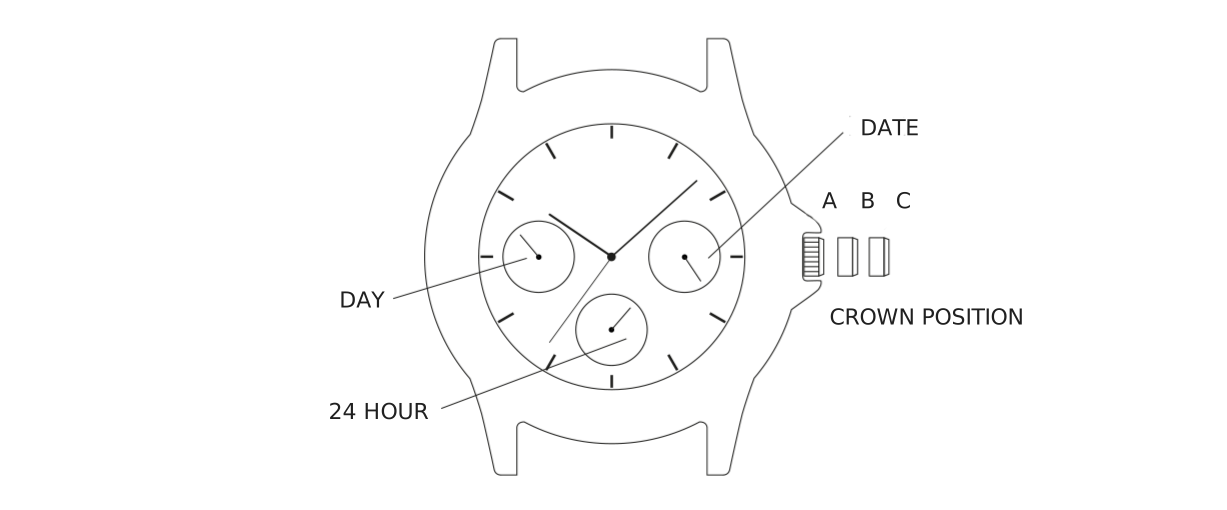
Multifunction watch face showing date, day, and 24-hour subdials, and the three-position crown

Time

To set the time:

  1. Pull out crown to “C” position.
  2. Turn crown either way to correct time.
  3. Push in crown to “A” position.

Date

To set the date:

  1. Pull out crown to “B” position.
  2. Turn crown clockwise / counter clockwise to correct date.
  3. Push in crown to “A” position.

Day of Week

To set the day:

  1. Pull crown to “C” position.
  2. Advance time 24 hours to change the day.
  3. Push crown to “A” position.

Adjusting the Dual Time of 12 Hour Regulator and Dual Time of 60 Minute Regulator Hands Position

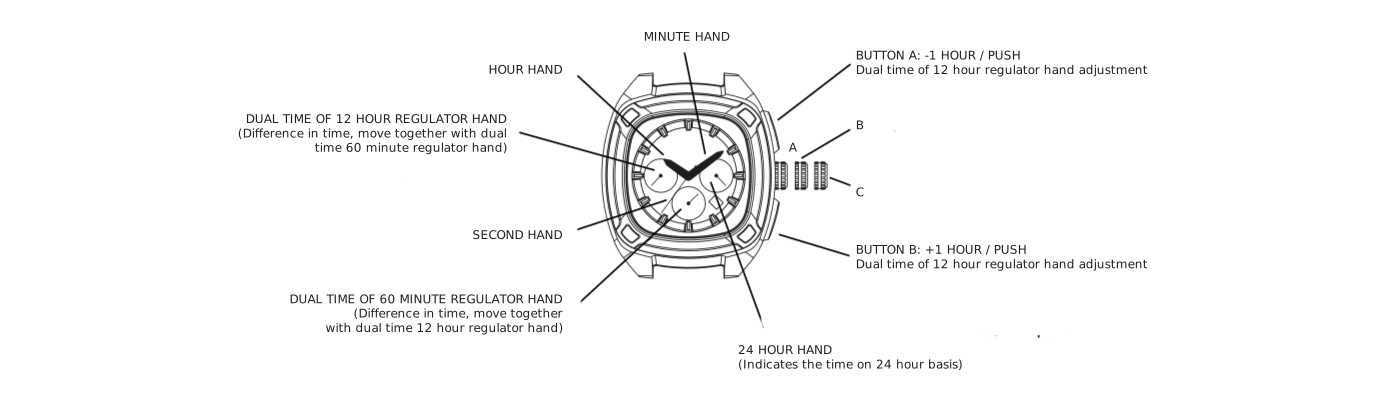
Multifunction watch face with hour hand, minute hand, second hand, 24-hour hand, dual-time of 12 hour and 60 minute regulator hands, and buttons A and B labeled

Before setting the time, check if the dual time of 12 hour regulator and dual time of 60 minute regulator hands are in the “0” (12 o’clock) position. If either of the dual time of 12 hour regulator and dual time of 60 minute regulator hands are not in the “0” position, reset them following the procedure below. After replacing the battery, please perform the “0” position adjustment and configure the battery settings.

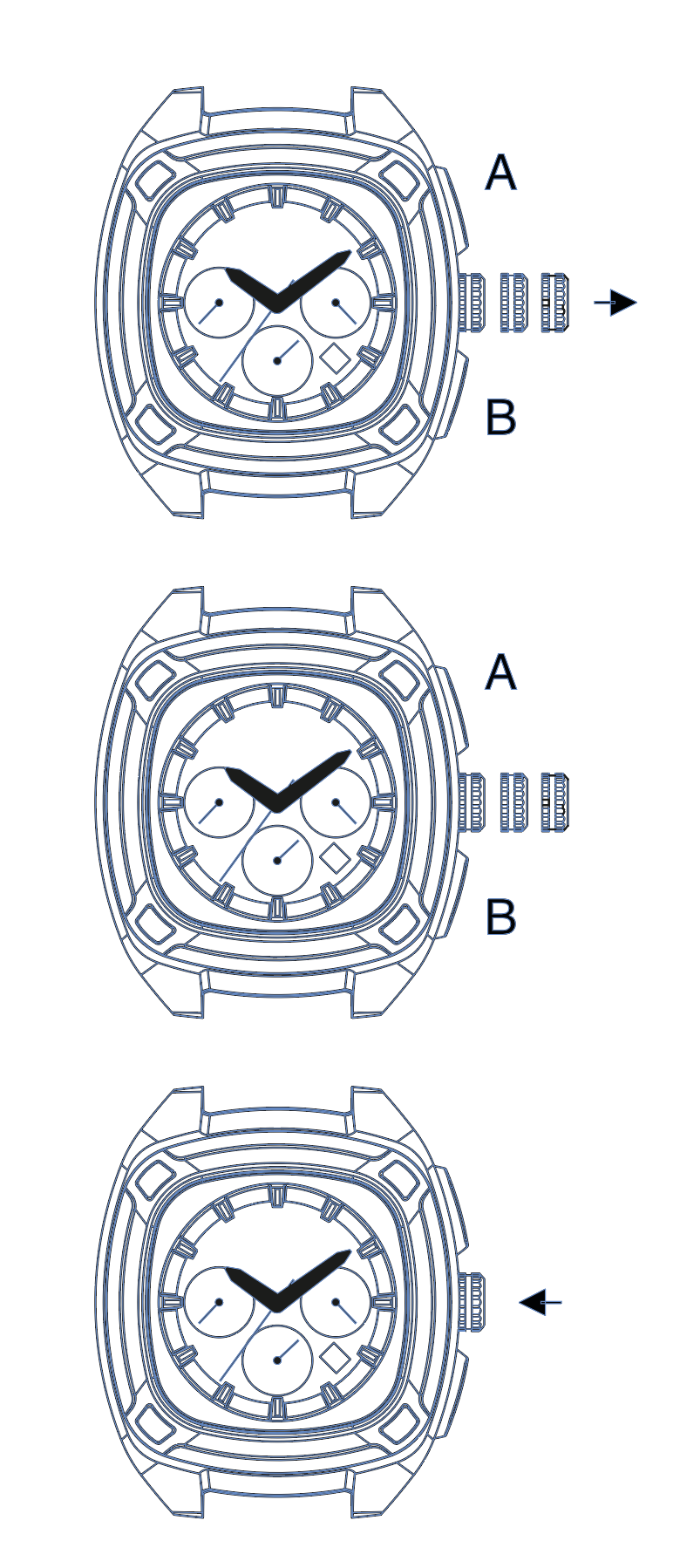
Three chronograph watches showing the crown pulled to the second position with an arrow, buttons A and B, and the crown pushed back with an arrow
Crown & Button Sequence
  1. Pull out the crown to second position.
  2. Keep the buttons A & B pressed at the same time more than 2 seconds, and then release the buttons. Dual time of 60 minute regulator hand moves and returns to where it was.
  3. Press button A or B to reset the dual time of 12 hour regulator and dual time of 60 minute regulator hands to “0” position. Pressing button A moves the hands counter clockwise; pressing button B moves the hands clockwise. Press and hold the button to fast-forward the modification. The dual time of 12 hour regulator hand is linked to the dual time of 60 minute regulator hand.
  4. Push the crown back to the normal position.

Time (Second Position Setting)

To set the time:

  1. Pull out the crown when the second hand is at the 12 o’clock position (second position).
  2. Turn the crown to set the hour and minute hands. (Check that the 24 hour hand is set correctly.)
  3. Push the crown back to the normal position.

Time-Zone Difference Adjustment

When moving to a country or area which is in a different time zone, the current time in the local time can be corrected.

  1. Crown in the normal position.
  2. Adjust the time by pressing button A or B. Pressing button A moves the hands counter clockwise (−1 hour / push). Pressing button B moves the hands clockwise (+1 hour / push).

Time Setting (Dual Time of 12 Hour Regulator and Dual Time of 60 Minute Regulator Hands)

  1. Pull out the crown when the second hand is at the 12 o’clock position (second position).
  2. Adjust the time by pressing buttons A or B. Pressing button A moves the hands counter clockwise; pressing button B moves the hands clockwise. Press and hold the button to fast-forward the modification.
  3. Push the crown back in to the normal position.

Date

To set the date:

  1. Pull out the crown to the first click.
  2. Turn the crown clockwise until the next date appears.
  3. Push the crown back in to the normal position.

Set Your Watch: Automatic Models

Watch case with crown pulled to position B, positions A and B labeled

Time

To set the time:

  1. Pull out crown to “B” position.
  2. Turn crown clockwise / counter clockwise to correct time.
  3. Push in crown to “A” position.